Internet Speed Guide for Remote Work in India

The shift to remote work has transformed India’s professional landscape, making a stable and fast internet connection more critical than ever. For millions of professionals, the home office is the new norm, and a reliable internet connection is the backbone of productivity. However, navigating the complexities of internet connectivity in India, with its regional disparities and infrastructure challenges, can be daunting. This guide is designed to demystify internet speed, helping you understand, test, and optimize your connection for a seamless remote work experience. Read on to discover how to optimize your internet for peak productivity.
Understanding Internet Speed Metrics
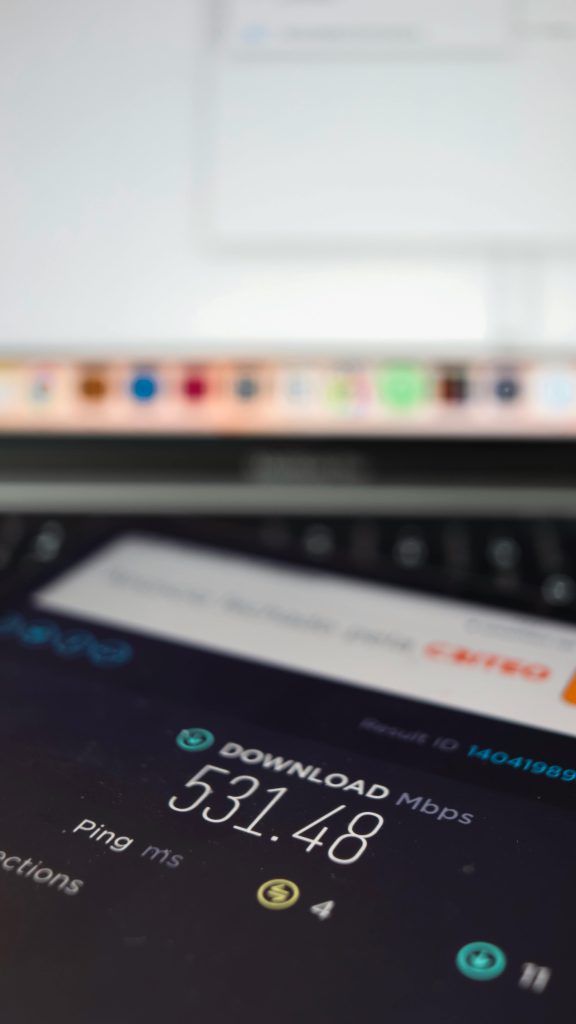
Before you can improve your internet, you need to understand what you’re measuring. Technical jargon can be confusing, but the key metrics are quite straightforward.
- Download Speed: Measured in megabits per second (Mbps), this is the speed at which your device pulls data from the internet. It’s crucial for activities like streaming video conferences, loading web pages, and downloading files.
- Upload Speed: Also measured in Mbps, this is the speed at which your device sends data to the internet. A good upload speed is vital for clear video calls, sending large files, and backing up data to the cloud.
- Latency (Ping): Measured in milliseconds (ms), latency is the delay it takes for a data packet to travel from your device to a server and back. Low latency is essential for real-time applications like video calls and online gaming, preventing frustrating lag.
- Jitter: This measures the variation in your latency over time. High jitter results in an unstable connection, causing choppy audio and video during calls.
For most remote work, here are some general guidelines:
- Basic Tasks (Email, Browsing): 5-10 Mbps download / 1-2 Mbps upload.
- Video Conferencing (HD): 10-15 Mbps download / 5 Mbps upload.
- Large File Transfers & Cloud Syncing: 25+ Mbps download / 10+ Mbps upload.
Take a moment to understand how these metrics affect your online experience, as it will help you identify the source of any problems.
Testing Your Internet Speed in India
To know if your connection meets your needs, you must test it accurately. Several reliable tools can help you get a clear picture of your internet performance.
Popular and reliable speed test tools in India include:
- Speedtest by Ookla: The industry standard, it provides detailed results for download speed, upload speed, and ping.
- Fast.com: Powered by Netflix, this tool offers a simple, quick measurement of your download speed, which is useful for assessing streaming quality.
To get the most accurate results, follow these steps:
- Use a Wired Connection: Connect your computer directly to the router with an Ethernet cable. Wi-Fi speeds can be affected by many external factors.
- Close Background Applications: Shut down any other apps, browser tabs, or streaming services that might be using your bandwidth.
- Test at Different Times: Run tests throughout the day (morning, afternoon, evening) to see how your speed fluctuates during peak and off-peak hours.
Once you have your results, compare them to the speeds advertised in your internet plan. If there’s a significant difference, it may be time to troubleshoot. Test your speed now and see if you’re getting what you paid for!
Factors Affecting Internet Speed in India
Several factors can impact your internet performance, some of which are unique to the Indian context.
- Infrastructure and Digital Divide: There is a significant gap in internet quality between urban centres and rural areas. While cities often have access to high-speed fibre optics, many smaller towns and villages rely on slower DSL or mobile data. Government initiatives like BharatNet are working to bridge this gap, but disparities remain.
- Network Congestion: During peak hours (typically evenings), when many people in your area are online, the shared network can become congested, leading to slower speeds for everyone.
- ISP Technology: The type of connection your Internet Service Provider (ISP) offers makes a huge difference. Fibre-optic is the fastest and most reliable, followed by cable, DSL, and finally, wireless or mobile data.
- Wi-Fi Interference: Within your own home, your Wi-Fi signal can be weakened by physical obstacles like thick walls or interference from other electronic devices like microwaves and cordless phones.
Identify the bottlenecks in your connection and explore ways to overcome them.
Optimizing Your Internet Speed for Remote Work

While you can’t change the national infrastructure, you can take several steps to maximise the performance of your home connection.
- Optimise Your Router’s Position: Place your Wi-Fi router in a central, elevated location in your home, away from walls and other electronics. This helps distribute the signal more evenly.
- Use a Wired Connection: For your primary work computer, an Ethernet cable will always provide a faster and more stable connection than Wi-Fi.
- Consider a Wi-Fi Extender or Mesh System: If you have a large home or thick walls, a Wi-Fi extender can boost the signal to dead zones. A mesh network provides even better, seamless coverage throughout your home.
- Update Your Router’s Firmware: Manufacturers regularly release firmware updates that can improve performance and security. Check your router manufacturer’s website for instructions.
- Secure Your Network: Protect your Wi-Fi with a strong password to prevent neighbours from using your bandwidth and slowing you down.
Take action now to boost your internet speed and enjoy a smoother remote work experience.
Choosing the Right Internet Plan in India
Selecting the right internet plan is a balance between speed, cost, and reliability. Before committing, assess your needs. Consider how many people and devices will be using the internet and for what purpose.
Leading ISPs in India like JioFiber and Airtel Xstream Fiber offer a range of high-speed fibre plans. When comparing, look beyond the advertised download speed. Check the upload speed, as many plans offer much lower upload rates (asymmetrical plans), which can be a bottleneck for video calls.
Always read the fine print for the Fair Usage Policy (FUP). Many “unlimited” plans have a data cap, after which your speed is drastically reduced. For real-world performance data in your area, you can consult the TRAI MySpeed portal. Shop around and find the perfect internet plan for your remote work setup.
Troubleshooting Common Internet Issues

Even with the best plan, issues can arise. Here are some quick troubleshooting steps.
- No Internet Connection: The classic “turn it off and on again” works wonders. Restart both your modem and your router. Wait for 30 seconds before plugging them back in. Check that all cables are securely connected.
- Slow Internet Speed: Run a speed test to confirm the issue. Restart your devices and router. If the problem persists, check for Wi-Fi interference or consider connecting via Ethernet.
- Intermittent Connection: This is often caused by a poor Wi-Fi signal or issues with your ISP’s line. Try moving closer to your router. If the problem continues, it’s time to contact your ISP.
When calling customer support, have your account details ready and clearly explain the problem and the troubleshooting steps you’ve already taken. Don’t suffer in silence – troubleshoot your internet problems and get back to work!
Conclusion
In the era of remote work in India, a fast and reliable internet connection is not a luxury; it’s a necessity. By understanding key speed metrics, testing your connection accurately, optimising your home setup, and choosing the right plan, you can build a digital foundation for success. A stable connection reduces stress, boosts productivity, and enables seamless collaboration with colleagues, no matter where you are.